Microsoft
Microsoft Agent Framework PyPI Hack: Check 1.26.1 and 1.26.2
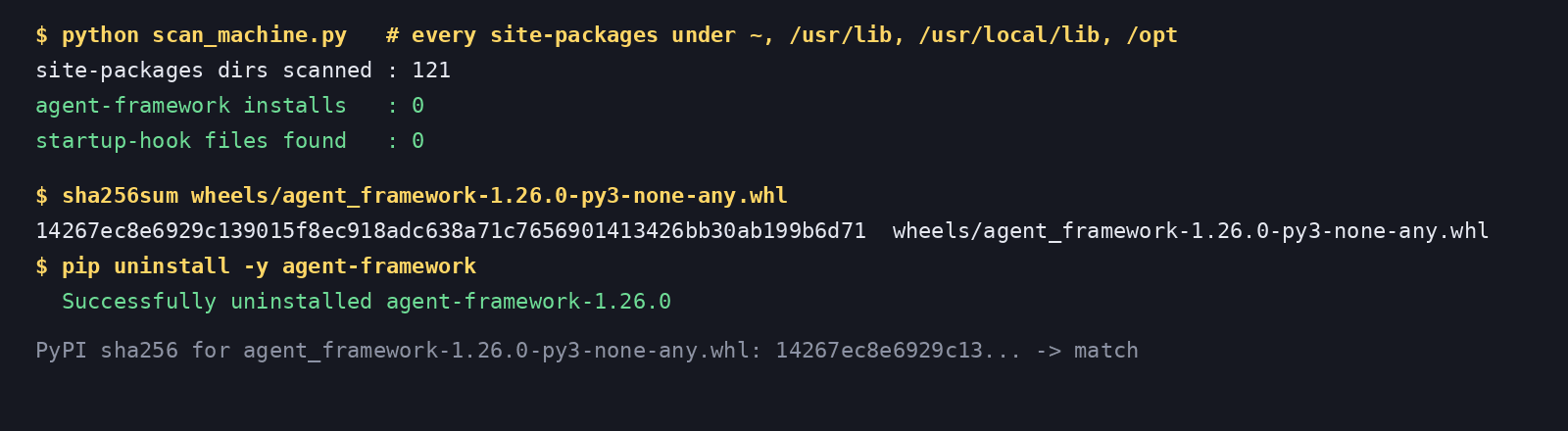
Microsoft's agent-framework 1.26.1 and 1.26.2 on PyPI ran a credential stealer at every Python start. We checked in a clean venv: PyPI now stops at 1.26.0, the clean wheel matches its hash, and 0 hook files on 121 folders.
By Duy Lam Le, written with AI8 min read
Why trust this: every result, number and screenshot comes from a real run on our own accounts, not from the AI. How we test
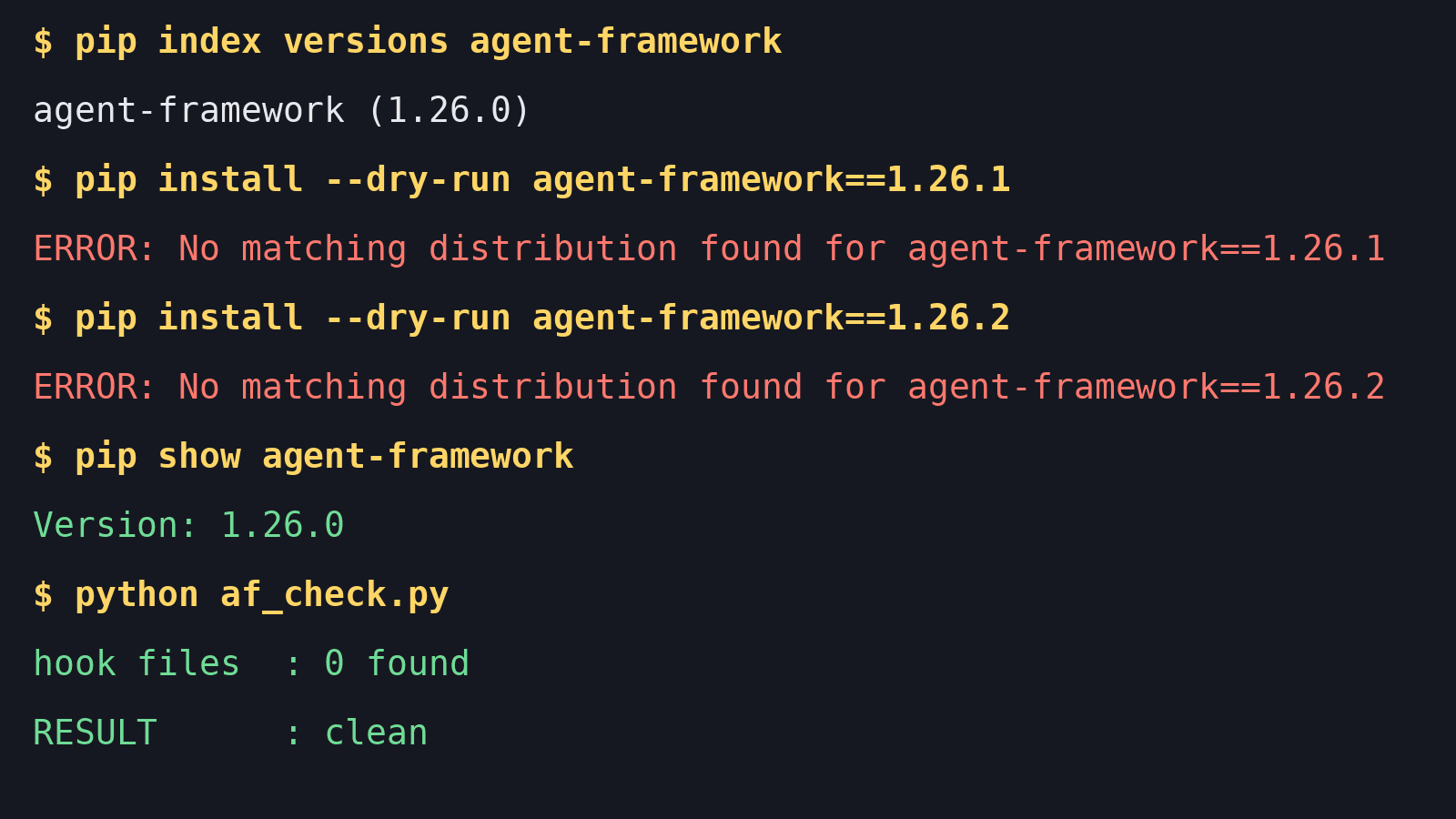
Checked 19 Nov 2026. Two releases of Microsoft's official agent-framework package on PyPI, 1.26.1 and 1.26.2, were published on 17 Nov 2026 with a credential stealer inside. It ran at every Python start, even without an import. PyPI has removed both. The newest release it still serves is 1.26.0, and that is the version to pin.
Who is affected: any machine, container or CI runner where pip, uv or another installer pulled agent-framework 1.26.1 or 1.26.2. Who is not: environments that only ever had 1.26.0 or older, and machines that never installed the package. We ran the checks below in a clean virtual environment on our own PC and scanned all 121 Python package folders on it. We never downloaded the bad releases: PyPI no longer has them, and we only asked pip for them in --dry-run mode.
At a glance
Key results
- PyPI serves nothing newer than 1.26.0.
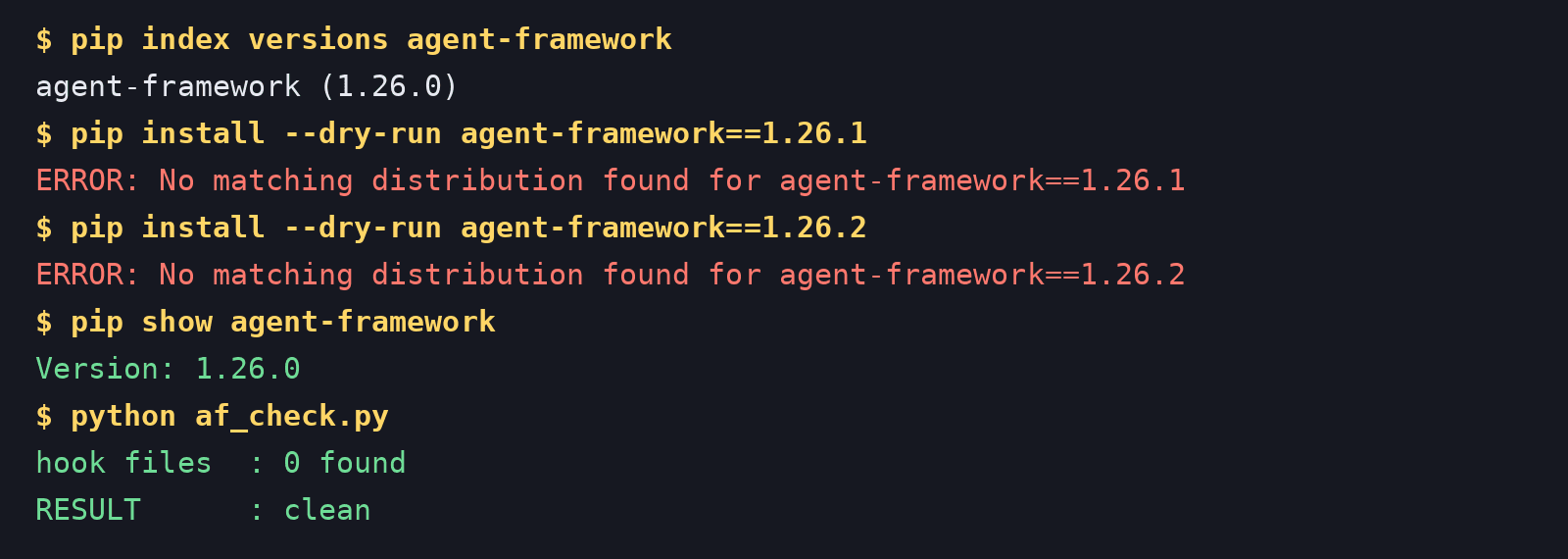
pip index versions agent-frameworklists 1.26.0 as the newest, and asking for 1.26.1 or 1.26.2 ends in "No matching distribution found". PyPI's JSON API returns 404 for both versions. - The clean 1.26.0 wheel matches PyPI. We downloaded it and its SHA256 (
14267ec8…b6d71) matched the digest PyPI publishes for that file. - The clean install ships zero
.pthfiles. After installing 1.26.0 (209 packages in the venv, pip included, in 143 seconds), our check script found no.pthfile at all. Anyagent_framework_meta.pthoraf_runtime_diag.pthyou find is a red flag. - A loose search gives a false alarm. The clean 1.26.0 install has a folder named
agent_framework_meta, so grepping for that name flags a safe machine. Search for the.pthfile names instead. - Our machine: 121 site-packages folders scanned, 0 installs of
agent-framework, 0 hook files, in under 10 seconds.
Hands-on test
Setup
- Date and machine: 19 Nov 2026, a PC running Linux (WSL), Python 3.13.16, pip 26.2.1.
- Clean environment: a new
python -m venvwith nothing installed, created only for this test. - What we installed: only
agent-framework==1.26.0, the release BleepingComputer calls safe. We did not install, download or unpack 1.26.1 or 1.26.2. - Scripts:
af_check.py(below), a folder scan for the hook files, and plainls/find/grepcommands. All terminal output in this article is copied from our run.
Microsoft Agent Framework PyPI versions that were compromised
According to Socket's analysis, both bad versions sent what they collected, compressed and Base64-encoded, to the same webhook.site address. BleepingComputer adds that PyPI quarantined the first bad release, the attacker published the second about 2.5 minutes later, and PyPI quarantined that one about 8 minutes after it went up. Both bad releases kept their dependency on the real agent-framework-core 1.26.0, so the framework worked as normal while the stealer ran.
Not confirmed yet: how the attacker got publishing rights on Microsoft's PyPI project, and how long the first release was online. BleepingComputer said Microsoft had not replied by the time it published.
Why the stealer ran without an import
Python reads every .pth file in site-packages when it starts. The Python documentation on the site module says that lines starting with import "are executed with exec()". The bad releases each added a one-line .pth file that imported the stealer, so it started with any Python process in that environment: your app, your tests, and pip itself.
That last point matters for clean-up. In an infected environment, every pip list or pip uninstall starts Python and fires the hook again. This is why BleepingComputer's advice is to stop running Python or pip there until the environment is isolated. Python 3.15 marks these import lines as deprecated but still runs them, so a newer Python is not a fix.
What the Microsoft Agent Framework exposure covers
Socket lists what the code collected. In short:
- Environment variables whose names contain words such as
TOKEN,SECRET,KEY,AZURE,AWS,GITHUB,OPENAIandHF_. This is a substring match, soOPENAI_API_KEY,AWS_SECRET_ACCESS_KEYandHF_TOKENall qualify. - Other processes' environments through
/proc/*/environon Linux, where permissions allowed. - Credential files: Azure CLI files in
~/.azure,.git-credentials,.netrc,.npmrc,pip.conf, Docker'sconfig.json, the Hugging Face token file, and.envfiles under/appand/workspace. - Fresh cloud tokens: Azure managed-identity tokens in both versions, and GitHub Actions OIDC tokens in 1.26.2.
If a key was readable by Python on that machine, treat it as exposed.
How to check the installed Python package version with pip
Run this with the Python of the environment you want to check. Do it only on a machine you believe is clean; on a suspect machine use the file check in the next section, which does not start Python.
$ pip show agent-framework
Name: agent-framework
Version: 1.26.0
...
Requires: agent-framework-core

$ pip index versions agent-framework
agent-framework (1.26.0)
If you manage the environment with uv, uv pip list --python .venv/bin/python prints the same package table without needing pip inside the venv. To check what you asked for rather than what is installed, search your requirement and lock files:
$ grep -rn 'agent-framework' requirements.txt
1:agent-framework==1.26.0
The same grep works on uv.lock and poetry.lock. Look for 1.26.1 or 1.26.2, and for an unpinned agent-framework line in any CI job that ran on 17 Nov.
Check for the hook files without starting Python
These are plain shell commands. They read the folder listing and never run Python, so they are safe on a machine that may be infected.
$ ls .venv/lib/python3.*/site-packages | grep -E '^(agent_framework_meta|af_runtime_diag)\.pth$|^af_runtime_diag\.py$'
(no output)

$ find ~ /usr /opt \( -name 'agent_framework_meta.pth' -o -name 'af_runtime_diag.pth' -o -name 'af_runtime_diag.py' \) 2>/dev/null | wc -l
0
No output and a count of 0 is what you want. Be precise with the pattern. Our first, looser grep for agent_framework_meta matched the folder that the clean 1.26.0 release installs, and that is not a sign of infection.
For many environments at once, a shortened version of our af_check.py does the same from inside Python (run it only on a clean machine):
import importlib.metadata as md
import site
from pathlib import Path

BAD_VERSIONS = {"1.26.1", "1.26.2"}
BAD_FILES = ("agent_framework_meta.pth", "af_runtime_diag.pth", "af_runtime_diag.py")
dirs = [Path(p) for p in {*site.getsitepackages(), site.getusersitepackages()} if Path(p).is_dir()]
try:
    version = md.version("agent-framework")
except md.PackageNotFoundError:
    version = None
hits = [d / name for d in dirs for name in BAD_FILES if (d / name).exists()]
print("agent-framework:", version or "not installed", "| hook files:", len(hits))
print("COMPROMISED" if version in BAD_VERSIONS or hits else "clean")
If you find 1.26.1 or 1.26.2: remove it and rotate keys
- Isolate the machine or runner. Cut its network access if you can, and stop running Python or pip in that environment.
- Rotate first, clean second. From a different, clean machine, revoke and replace every key that environment could read: Azure service principals and storage keys, AWS access keys, GitHub tokens, OpenAI and other AI API keys, Hugging Face tokens, Docker and npm credentials. Creating a new key is not enough; the old one has to be revoked.
- Rebuild, do not patch. Delete the virtual environment or container image and create it again from scratch with
agent-framework==1.26.0pinned. If the bad version was installed into a system Python, rebuild the machine or restore it from a known-good image. - Check your logs. BleepingComputer suggests looking for the webhook path in outbound (egress) logs, and telling blocked requests apart from requests that went through.
- Pin and lock. Use exact versions in
requirements.txtor a lock file with hashes, so a new release cannot slip into CI unannounced.
If you need to create a fresh AI key after revoking one, our guides to the Google AI Studio API key and the ElevenLabs API key walk through the screens.
What worked
What worked
--dry-runlet us confirm that PyPI no longer serves 1.26.1 and 1.26.2 without downloading anything.- Matching on exact file names (
agent_framework_meta.pth,af_runtime_diag.pth,af_runtime_diag.py). These names come from Socket's write-up and do not exist in the clean release. - Comparing the wheel hash with the one PyPI publishes. It takes one command and proves which file you actually have.
Where it fell short
What didn't work
- A loose
grep agent_framework_meta. It matched the legitimate folder in 1.26.0 and would have raised a false alarm. pip list | grep agentas a quick look. The full 1.26.0 install pulls in 63 folders whose names start withagent_framework, so the one line you care about is easy to miss. Usepip show agent-framework.- Testing the stealer itself. We chose not to: running live malware to take a screenshot is not worth the risk, and the file names and versions are enough to check a machine.
Our verdict
If you use Microsoft Agent Framework in Python, pin agent-framework==1.26.0 today and run the shell check above on every machine and CI runner that installed packages on 17 Nov 2026. If you find either bad version, treat every key on that machine as stolen and rotate it before you clean up. The attack is over on PyPI, but the keys it took stay valid until you revoke them.
FAQ
Is Microsoft Agent Framework safe to install now?
Version 1.26.0 is the newest release PyPI serves, and the wheel we downloaded matched PyPI's published SHA256. Pin that exact version until Microsoft publishes a newer release and explains how the project was compromised.
Does it matter if I never imported agent_framework?
No. The bad versions ran from a .pth file that Python loads at startup, so installing the package was enough.
Is agent-framework-core affected?
The reports name only the agent-framework package, versions 1.26.1 and 1.26.2. Both of those depended on the real agent-framework-core 1.26.0.
How do I check the installed package version without pip?
List the site-packages folder: the installed version is in the folder name, for example agent_framework-1.26.0.dist-info. This does not start Python.
How this page was made: an AI assistant (Claude) helped write the text and the check scripts. The version list, the dry-run errors, the SHA256 match and the 121-folder scan come from our own run on 19 Nov 2026; the details of the malware come from Socket's and BleepingComputer's reports, linked below. The RanThis editor checked each fact against those pages and PyPI before publishing.